UI walkthrough
A page-by-page tour of the headscale-admin console: what each view shows, what you can do there, and where the data comes from.
The console is a SPA app served by the same binary that supervises headscale, under /admin. The
sidebar groups pages into four areas:
- Overview & Connect - the dashboard, and a builder for
tailscale upjoin commands. - Network - Nodes, Routes & exit nodes, DNS.
- Access - Users, Pre-auth keys, API keys, ACL policy, Access map, and (when enabled) User sync.
- System - Audit log, Admins, Settings, Backup. Admin-only.
Connect a device
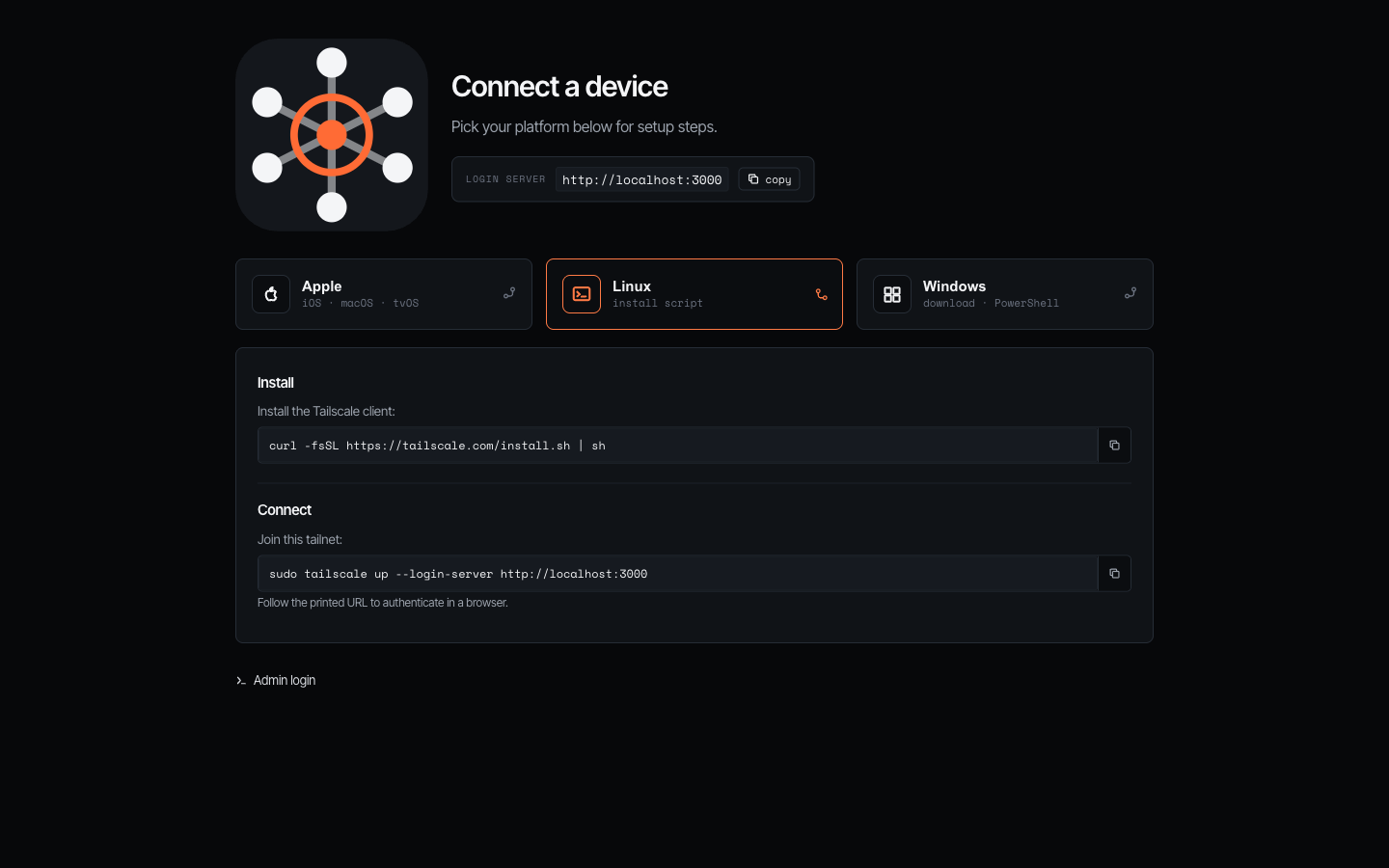
The public signup page (the default landing for /) is where someone onboards a machine. Pick a platform - Apple,
Linux, or Windows - and it expands with copy-paste install and tailscale up --login-server … steps pre-filled with
this server’s URL. It needs no login, so you can hand the link to a teammate to join the tailnet. (When the admin UI is
IP-restricted you can still keep just this page public with server.public_signup.)
Sign in
The login screen appears when authentication is enabled. Local sign-in is email + password if a second factor is set up, it then asks for a TOTP code (or a recovery code). With OIDC configured, a Sign in with SSO button appears, and with passkeys registered, a Sign in with a passkey button.
Overview
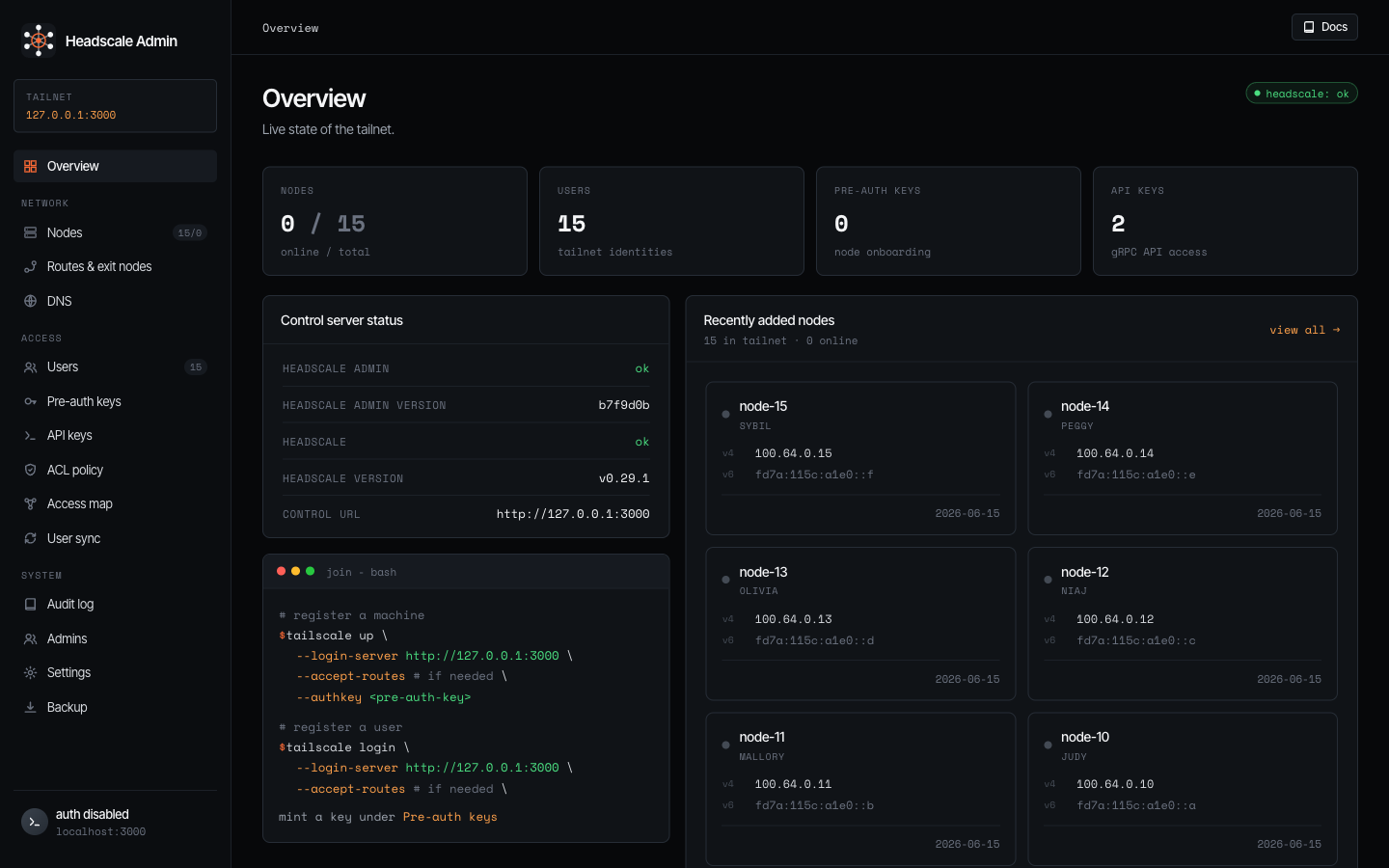
The dashboard summarises the tailnet at a glance: clickable tiles for nodes (online / total), users, pre-auth keys, and API keys, a control-server status, etc.
Connect
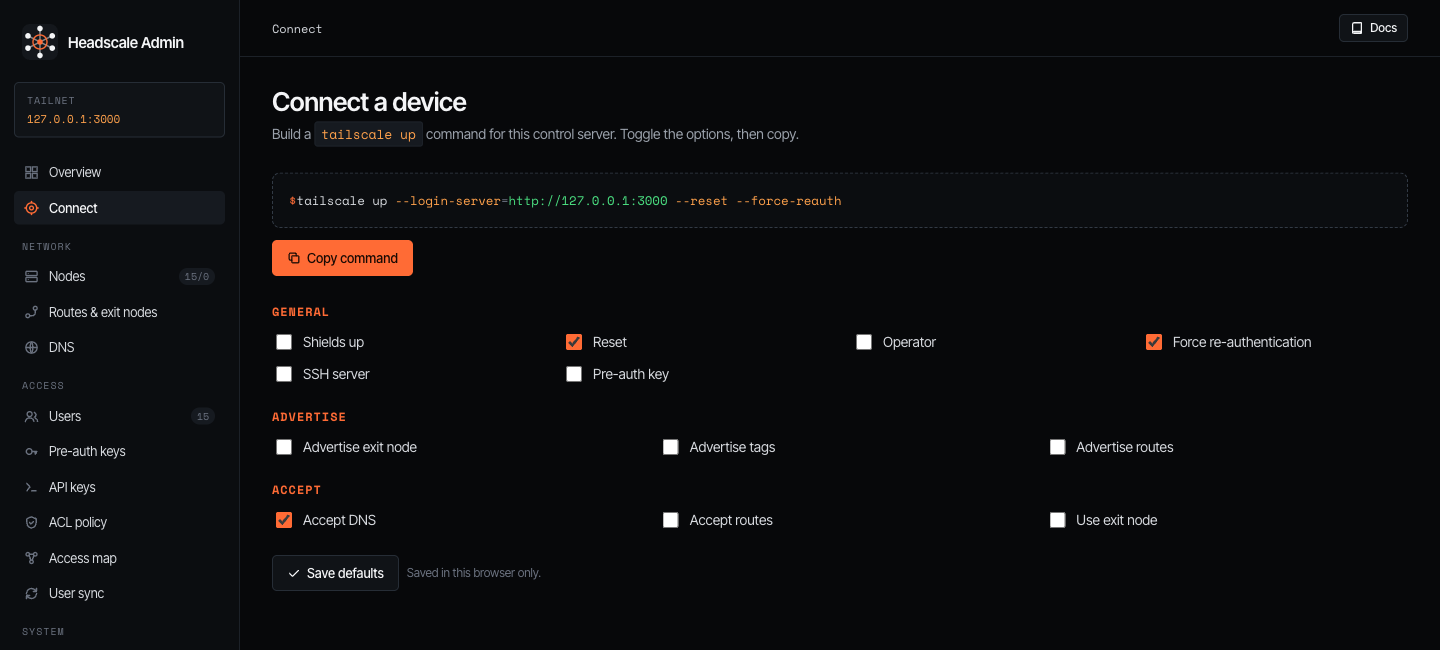
The Connect page (admin/operator) builds a tailscale up command for this control server, so you can hand a
teammate one exact line instead of explaining flags. It’s the console-side counterpart to the public signup page
above - same goal, every option exposed.
The --login-server is filled from headscale.public_url (falling back to the page’s own origin). Options are grouped
into General (shields-up, reset, operator, force re-auth, SSH server, pre-auth key), Advertise (exit node, tags,
routes), and Accept (DNS, routes, exit node), the preview updates live and Copy command puts it on the
clipboard. Advertise tags and Advertise routes open chip inputs with a + from known picker that pulls tags
from your ACL policy and nodes. Save defaults remembers your toggles in this browser.
Pre-auth keys for unattended onboarding
Toggle Pre-auth key and the page mints a key and embeds it as --authkey, so the command runs without an
interactive login - ideal for golden images, CI, or bulk enrollment. Manage and revoke those keys on the
Pre-auth keys page.
Nodes
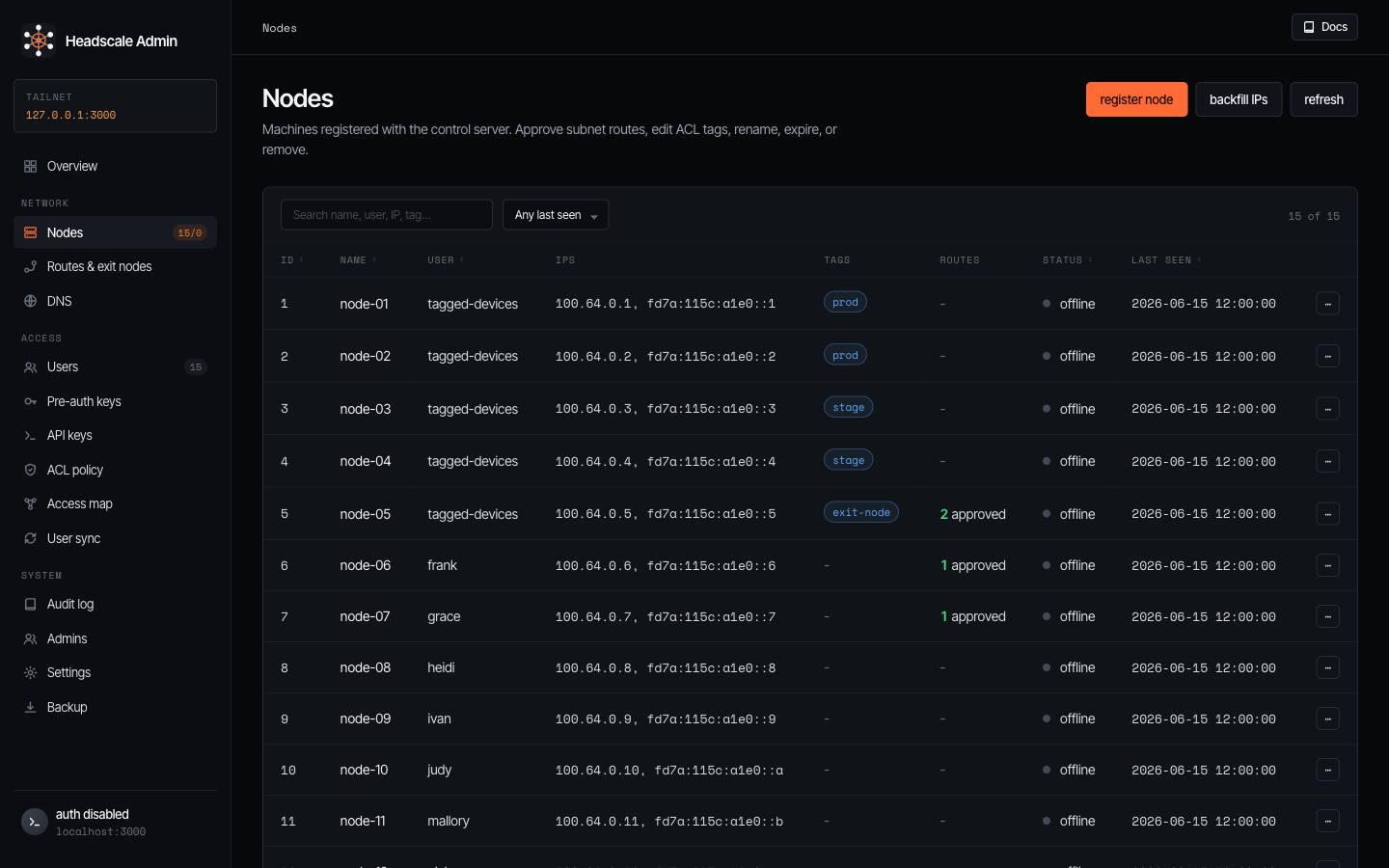
Every machine registered with the control server. Search by name / user / IP / tag, filter by last-seen, and sort any column.
Clicking a node opens its detail modal:
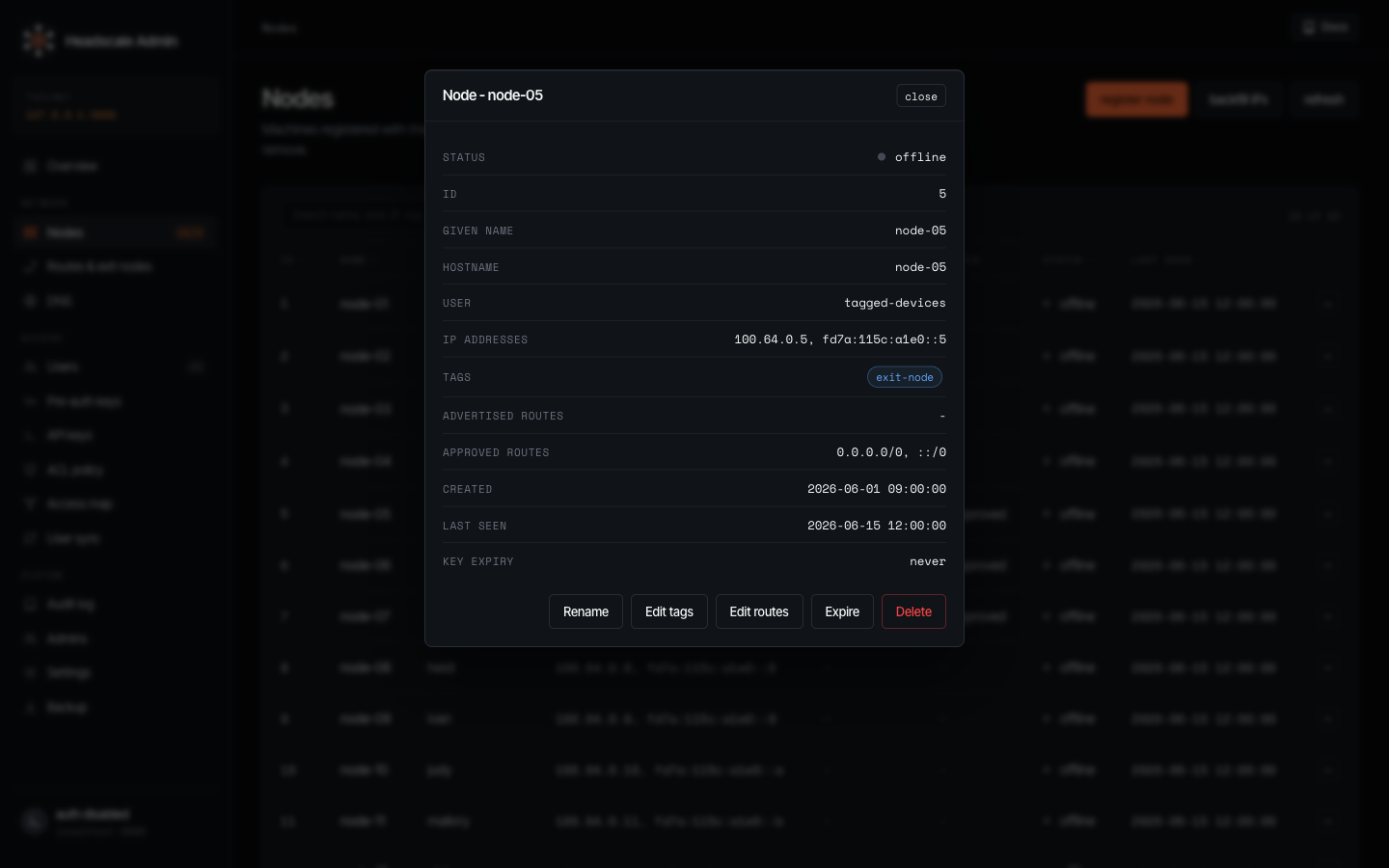
The modal shows the full record - status, IDs, hostname, user, addresses, tags, advertised and approved routes, etc.
Routes & exit nodes
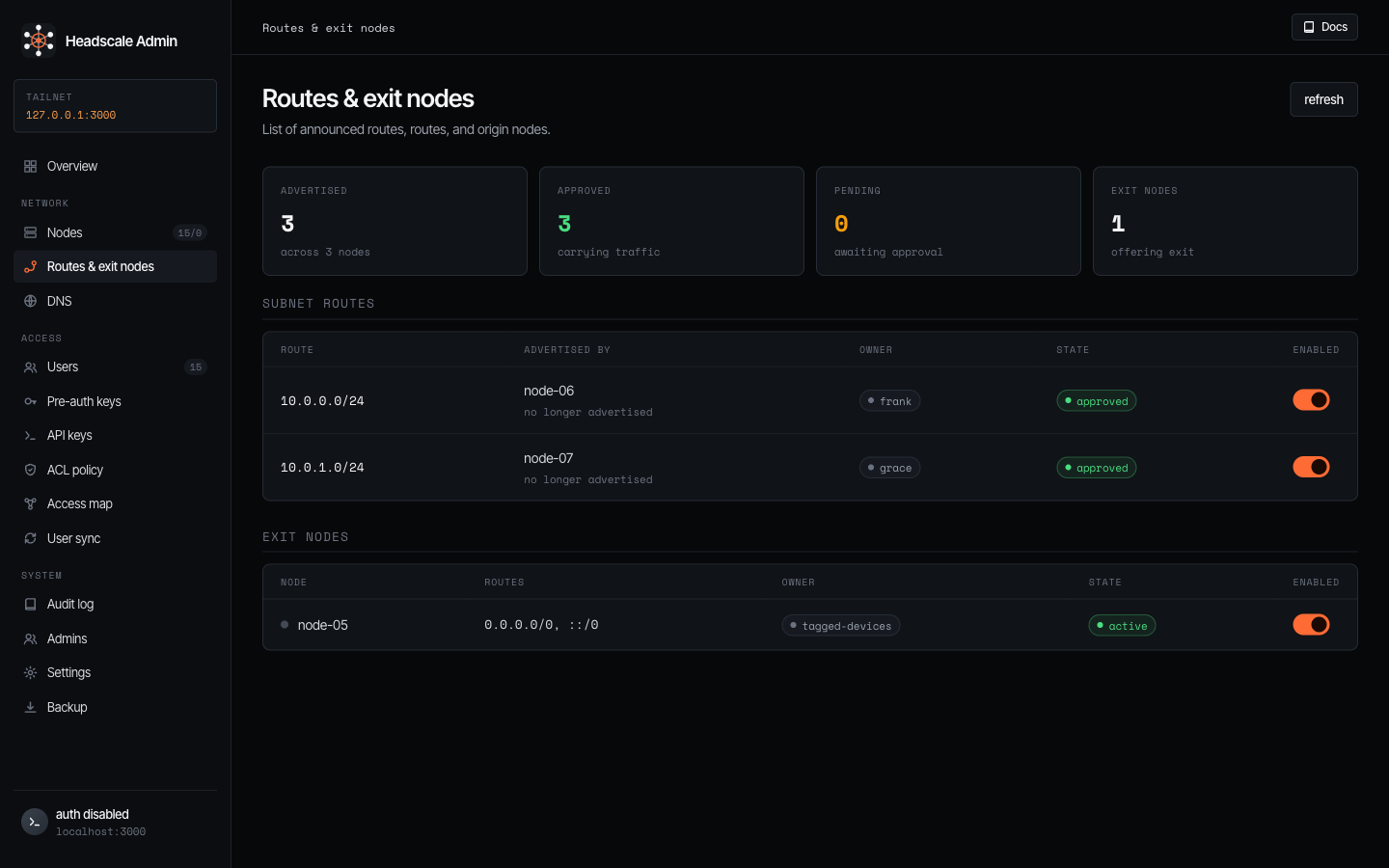
Subnet routes and exit nodes in one place. Tiles up top count advertised, approved, pending, and exit
nodes. The Subnet routes table lists each advertised CIDR, the node and owner advertising it, its approval state,
and an enable toggle, Exit nodes does the same for machines offering 0.0.0.0/0, ::/0. Approving or revoking a
route is a single toggle.
DNS
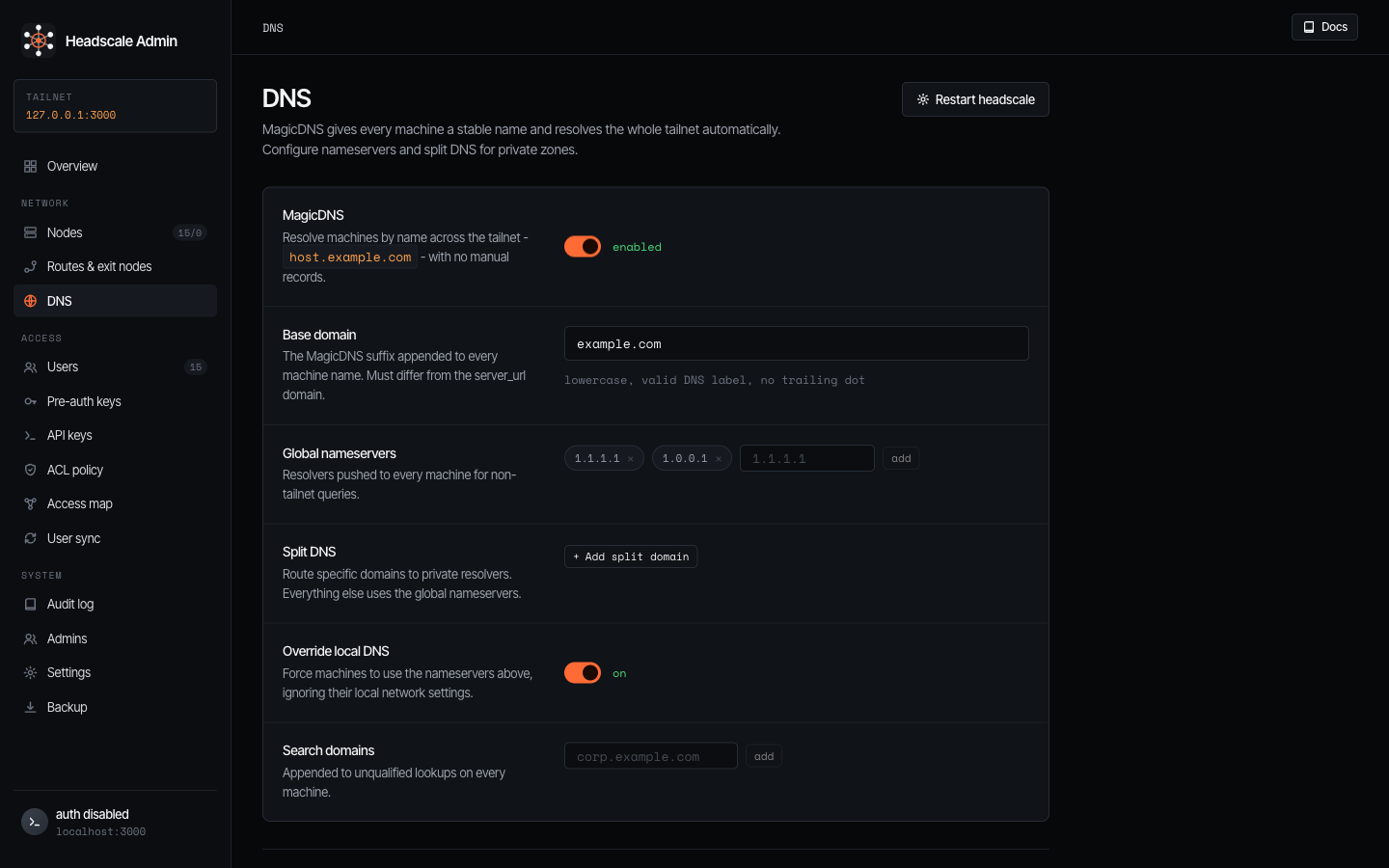
MagicDNS and resolver configuration, written straight into headscale.yaml. Toggle MagicDNS, set the base
domain, manage global nameservers, add split-DNS domains routed to private resolvers, force clients onto your
nameservers with override local DNS, and add search domains. Because these land in headscale’s config, the page
notes when a headscale restart is needed for changes to take effect.
Users
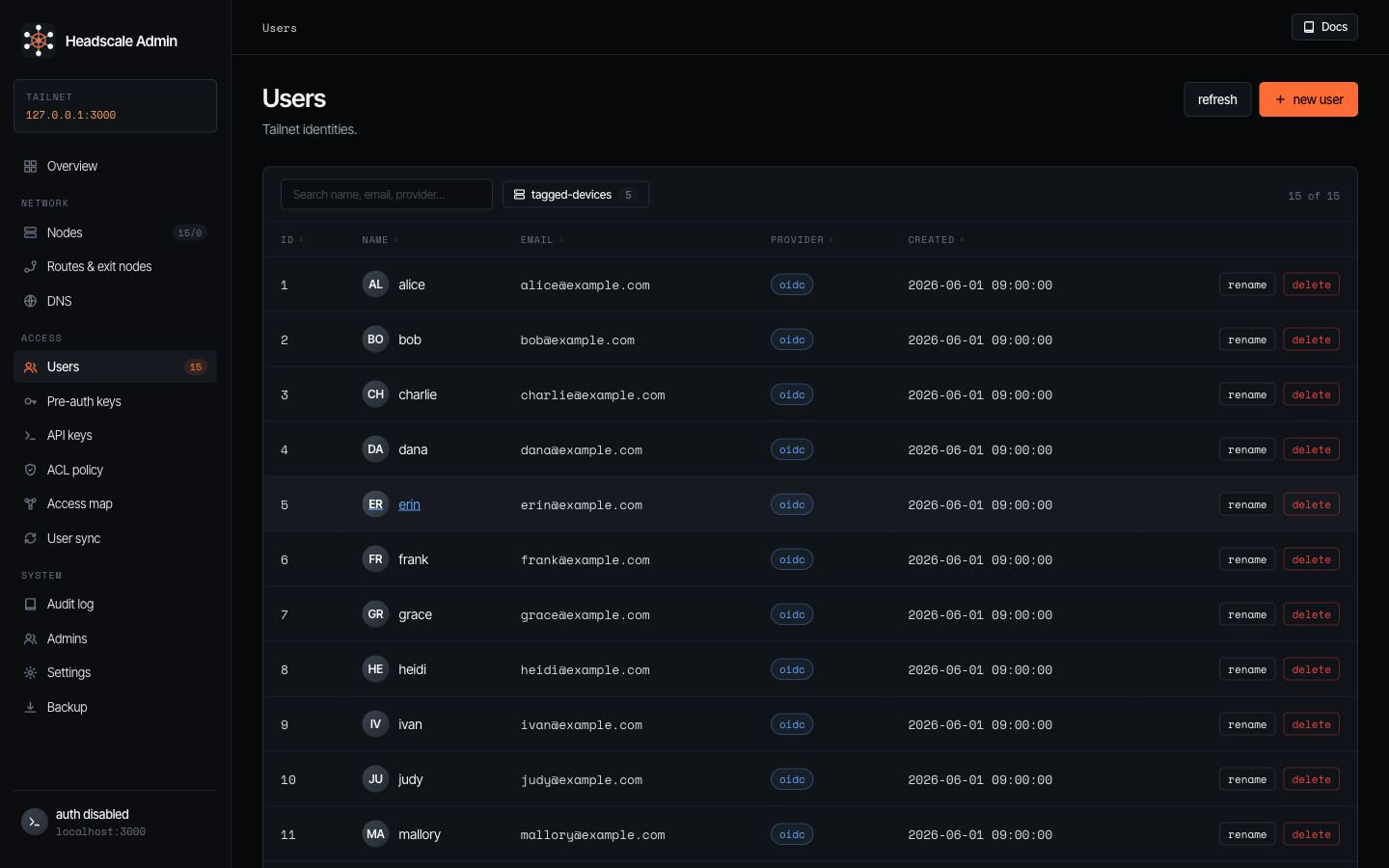
Tailnet identities. Search by name / email / provider, and create users.
Pre-auth keys
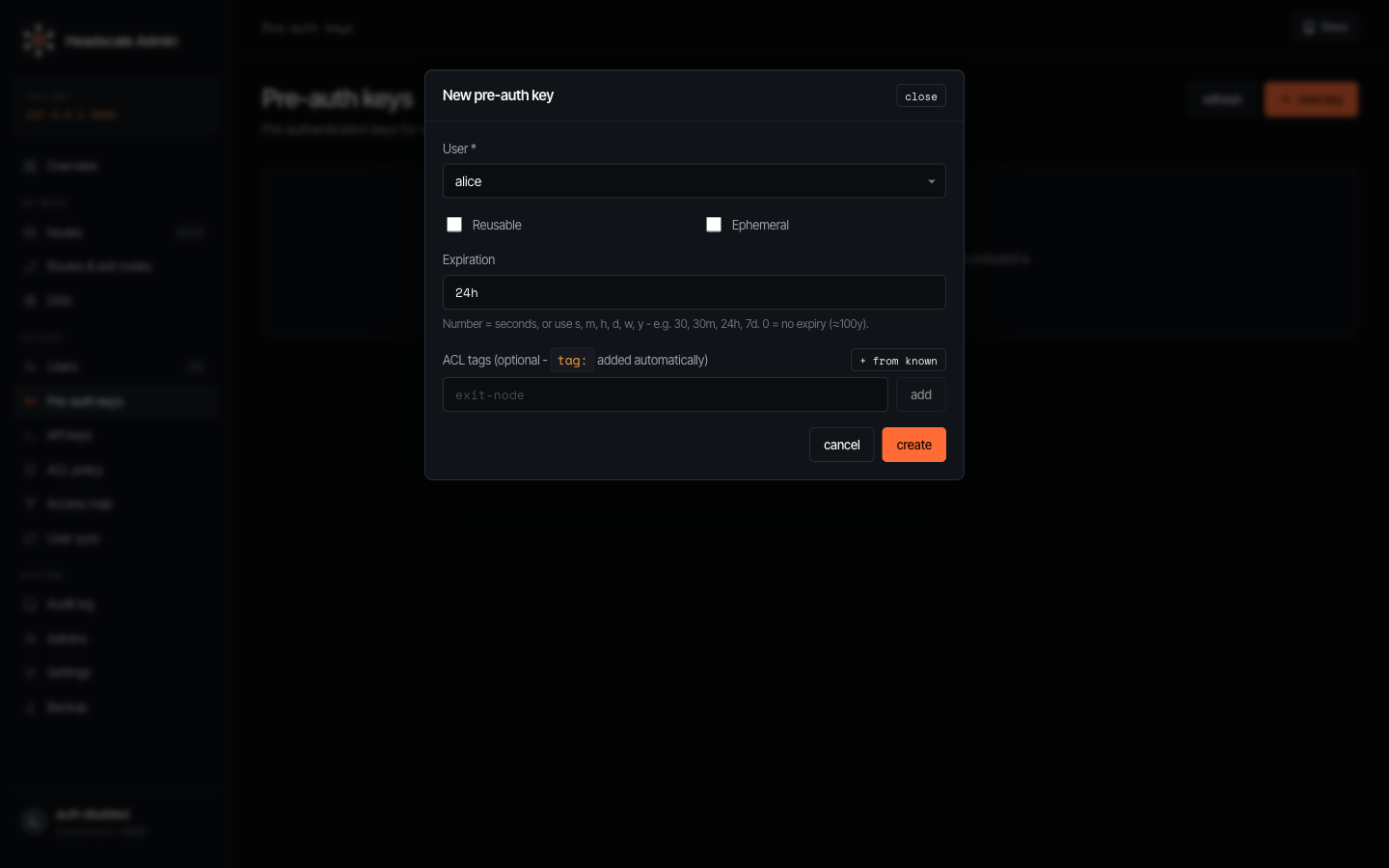
Pre-authentication keys for non-interactive onboarding.
API keys
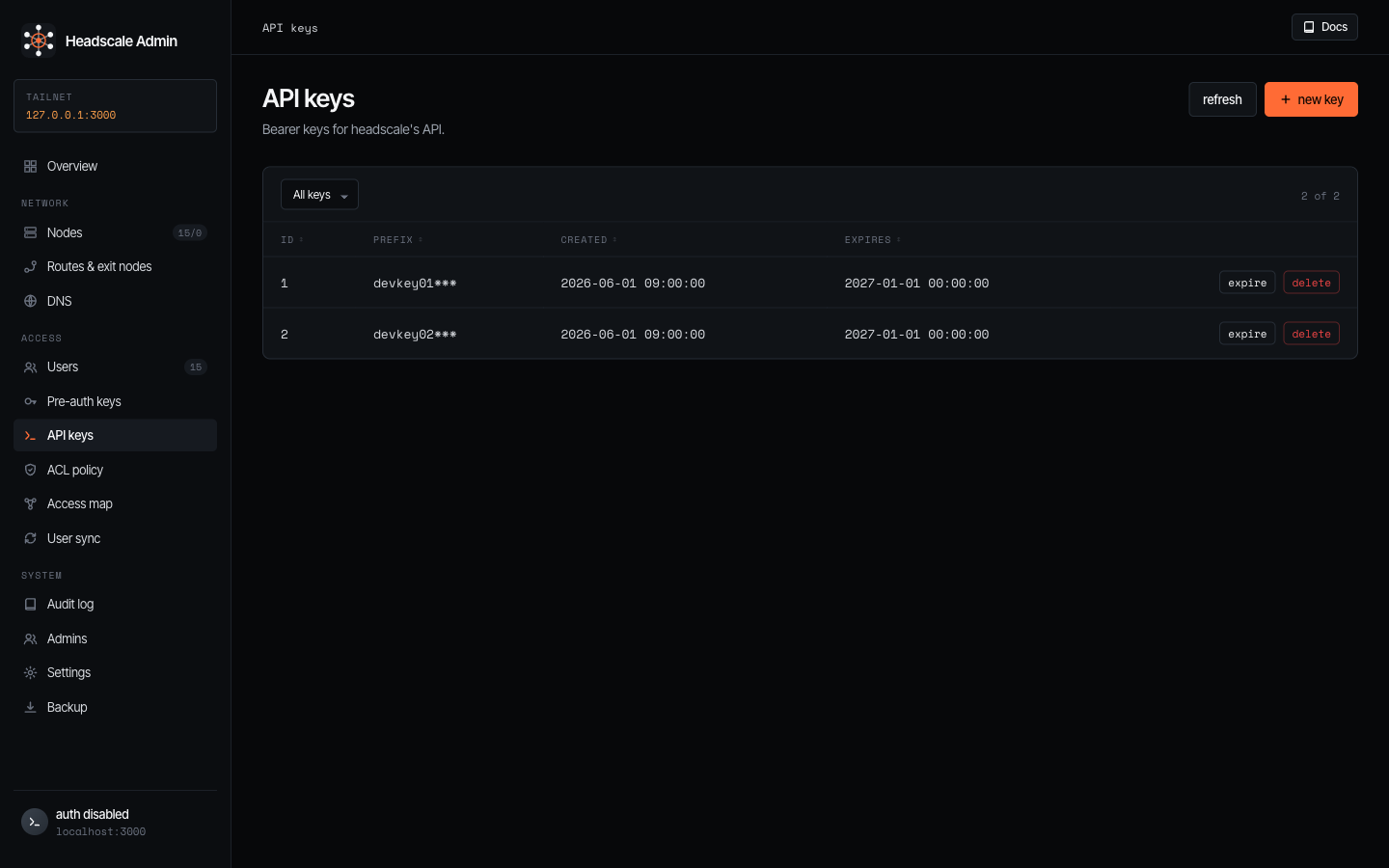
Bearer keys for headscale’s own API, used by the headscale CLI and other tooling.
ACL policy
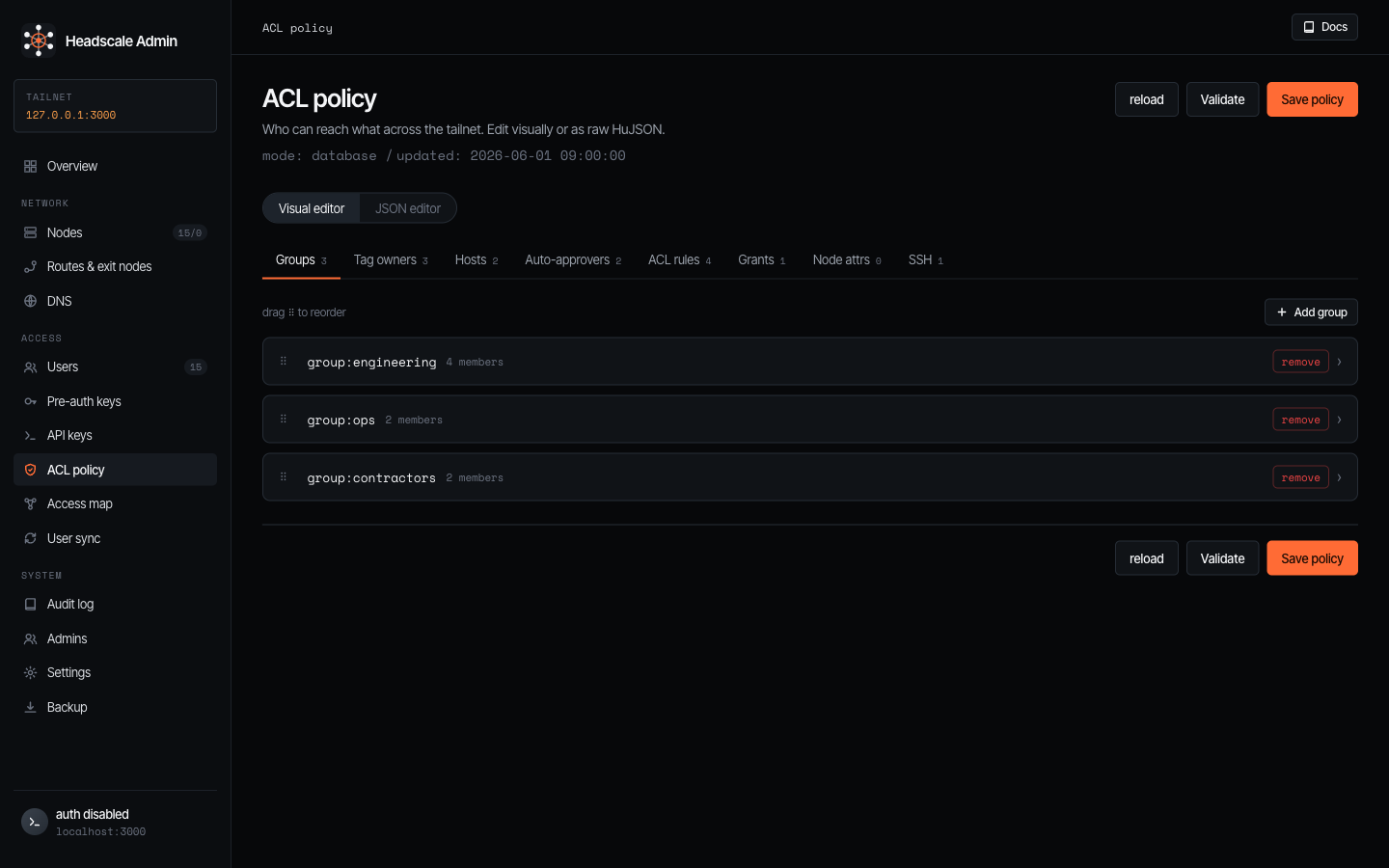
Who can reach what across the tailnet. The visual editor has a tab per policy section - Groups, Tag owners,
Hosts, Auto-approvers, ACL rules, Grants, Node attrs, SSH - each row reorderable and editable,
with “+ from known” pickers that pull existing users, groups, and tags. The JSON editor toggle exposes the raw
HuJSON with format / validate. The header shows the policy mode (database or file) and last-updated time,
Validate checks the policy and Save policy applies it. In file mode.
Access map
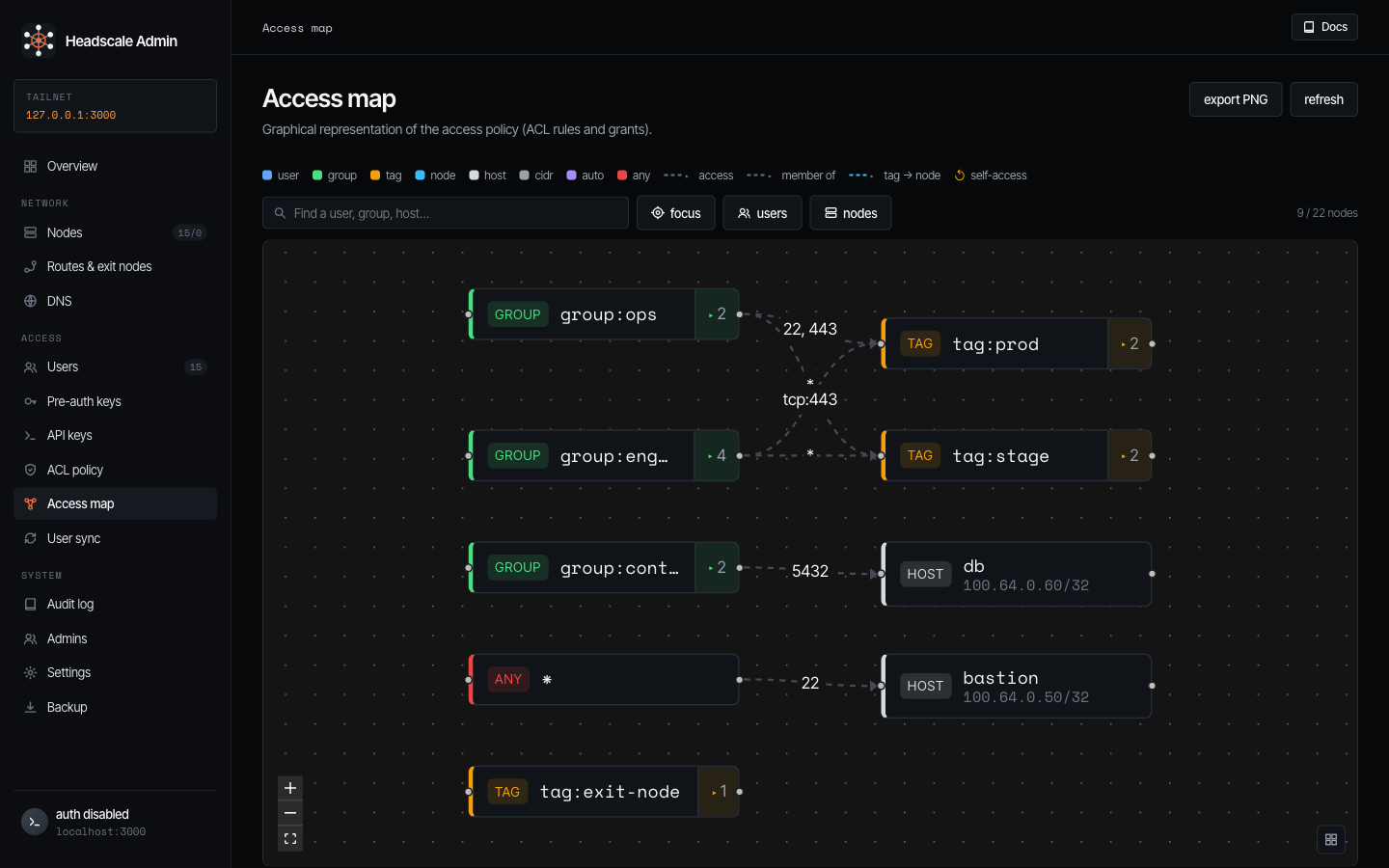
A live graph of the effective access policy - ACL rules and grants rendered as edges between users, groups, tags,
hosts, and nodes, annotated with the allowed ports (e.g. group:ops → tag:prod on 22, 443). Search to focus an
entity’s neighbourhood, fold users into group badges or devices into tag counts, and export PNG. It’s the fastest
way to sanity-check “can X actually reach Y?” after a policy edit.
User sync
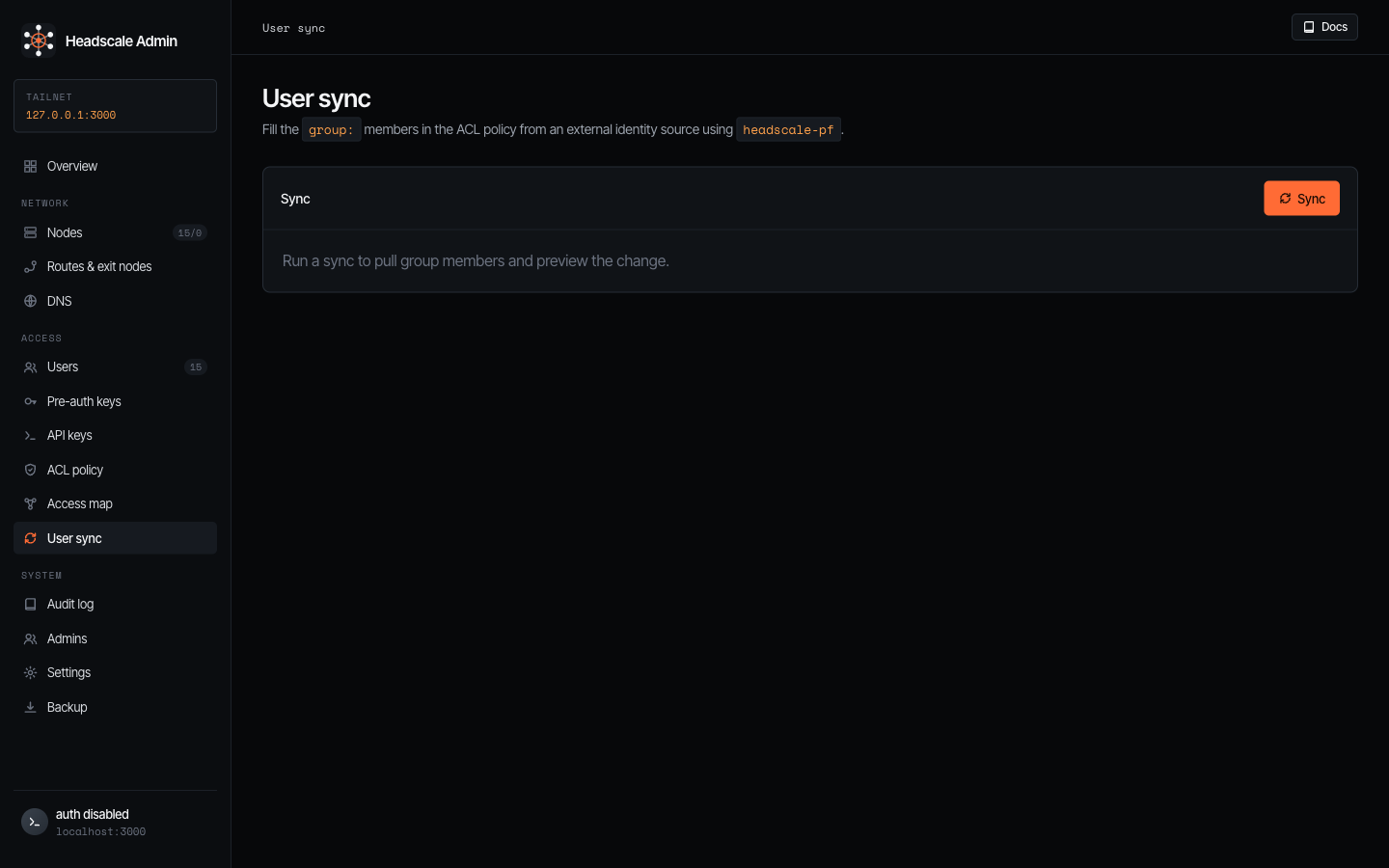
Fills the group: members of your ACL policy from an external identity
source using the bundled headscale-pf. Click Sync to pull the latest
membership and preview the diff against the current policy.
Shown only when headscale_pf.enabled: true.
Audit log
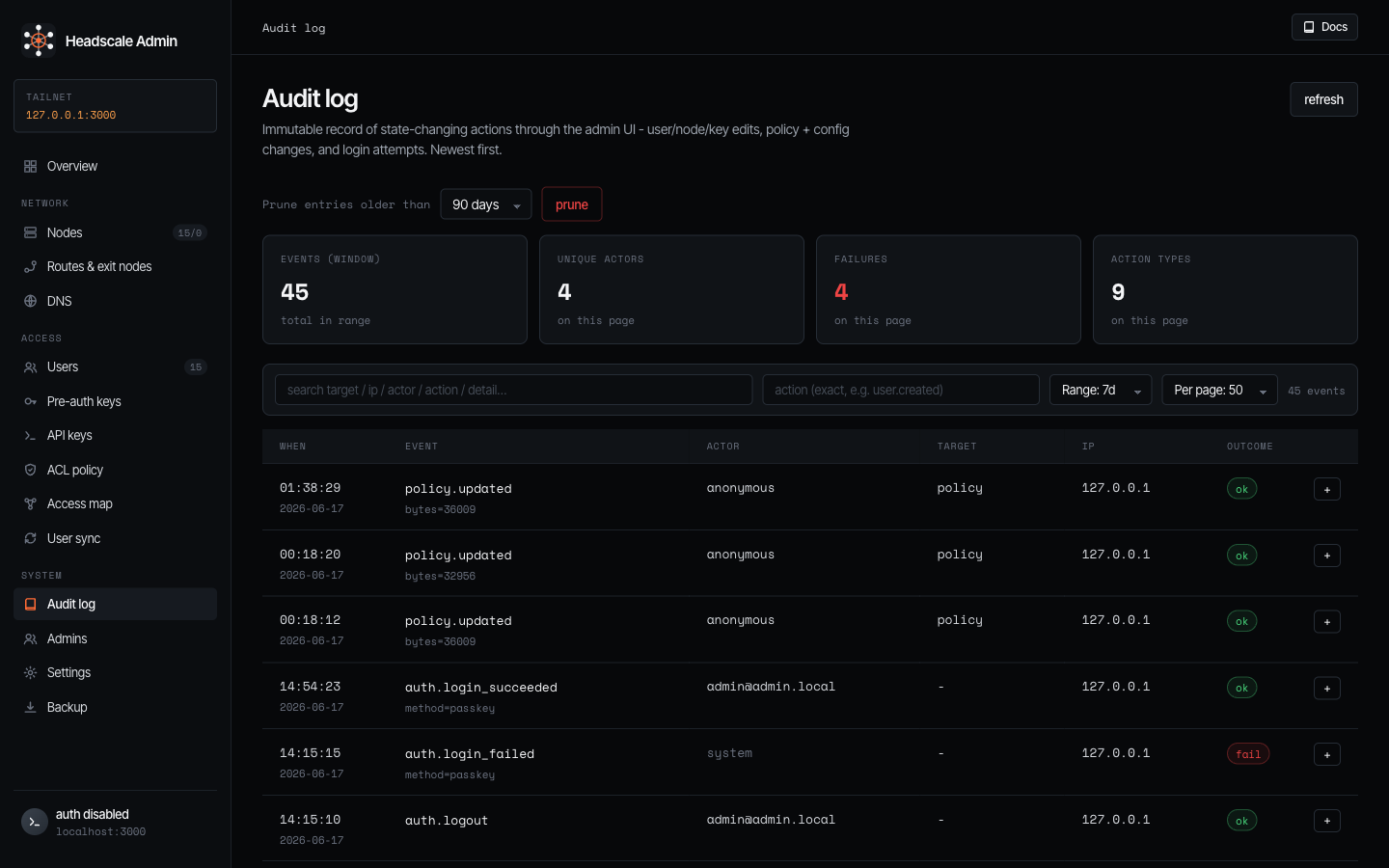
An immutable record of every state-changing action through the console - user / node / key edits, policy and config changes, and login attempts.
Admins
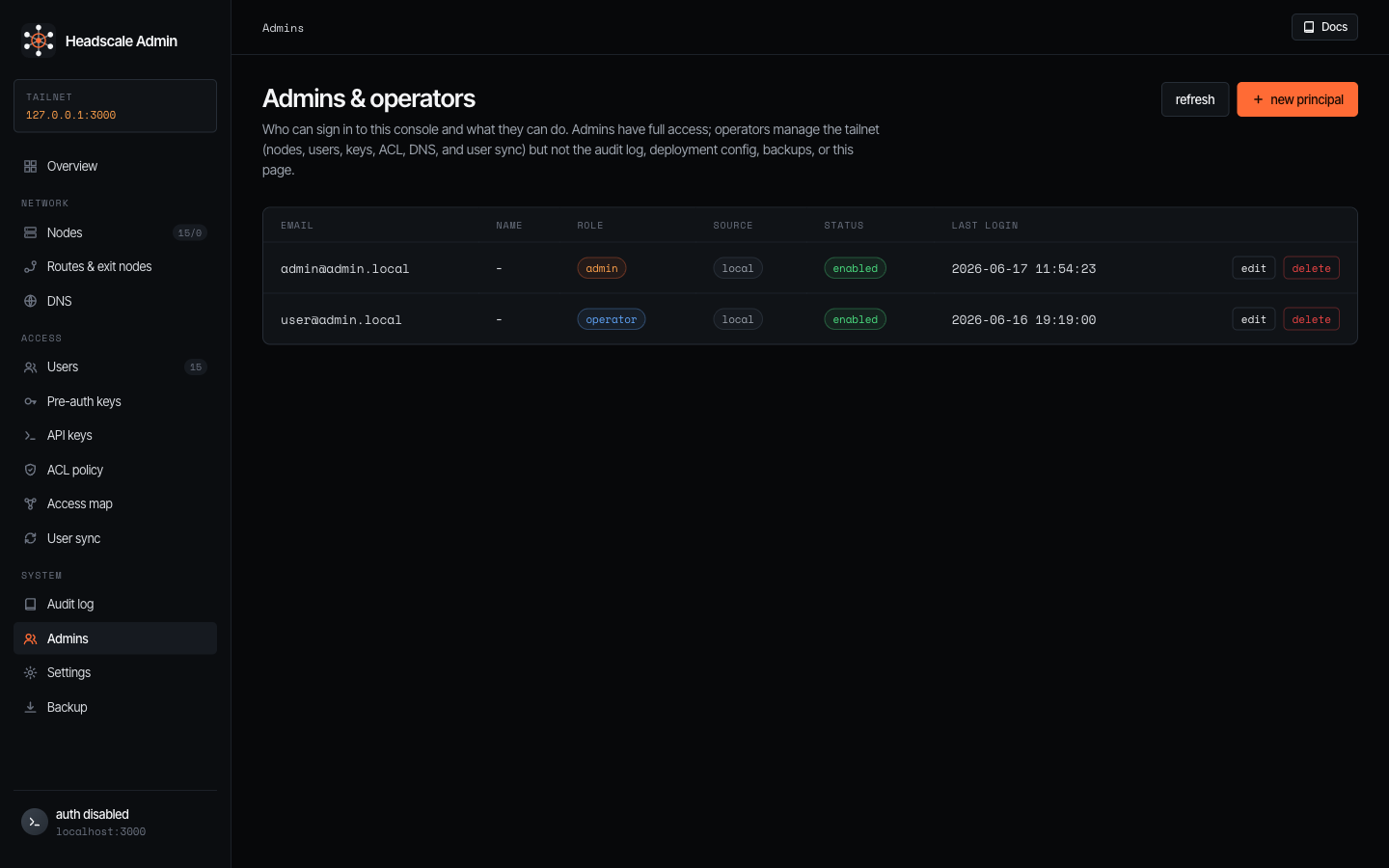
Who can sign in to the console and what they can do. Each principal has a role (admin or operator). Create principals with + new principal (email, name, role, and - in local mode - a password). When OIDC is enabled, password login is disabled and roles follow the IdP group mapping, pre-creating a principal here pre-assigns a role by email, and pinned admins stay admin regardless of group changes.
Settings
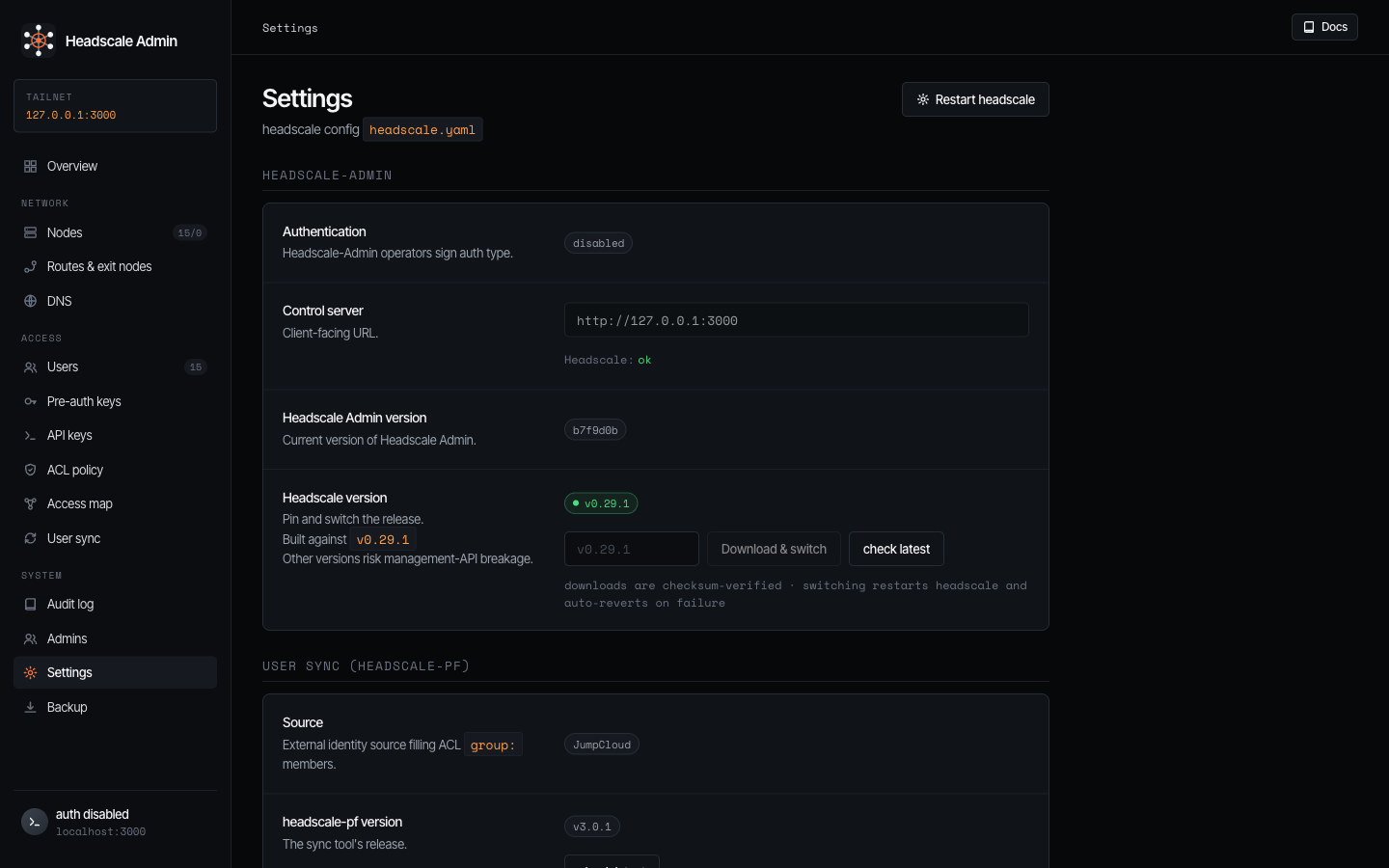
The supervised headscale’s and tools configuration.
Backup
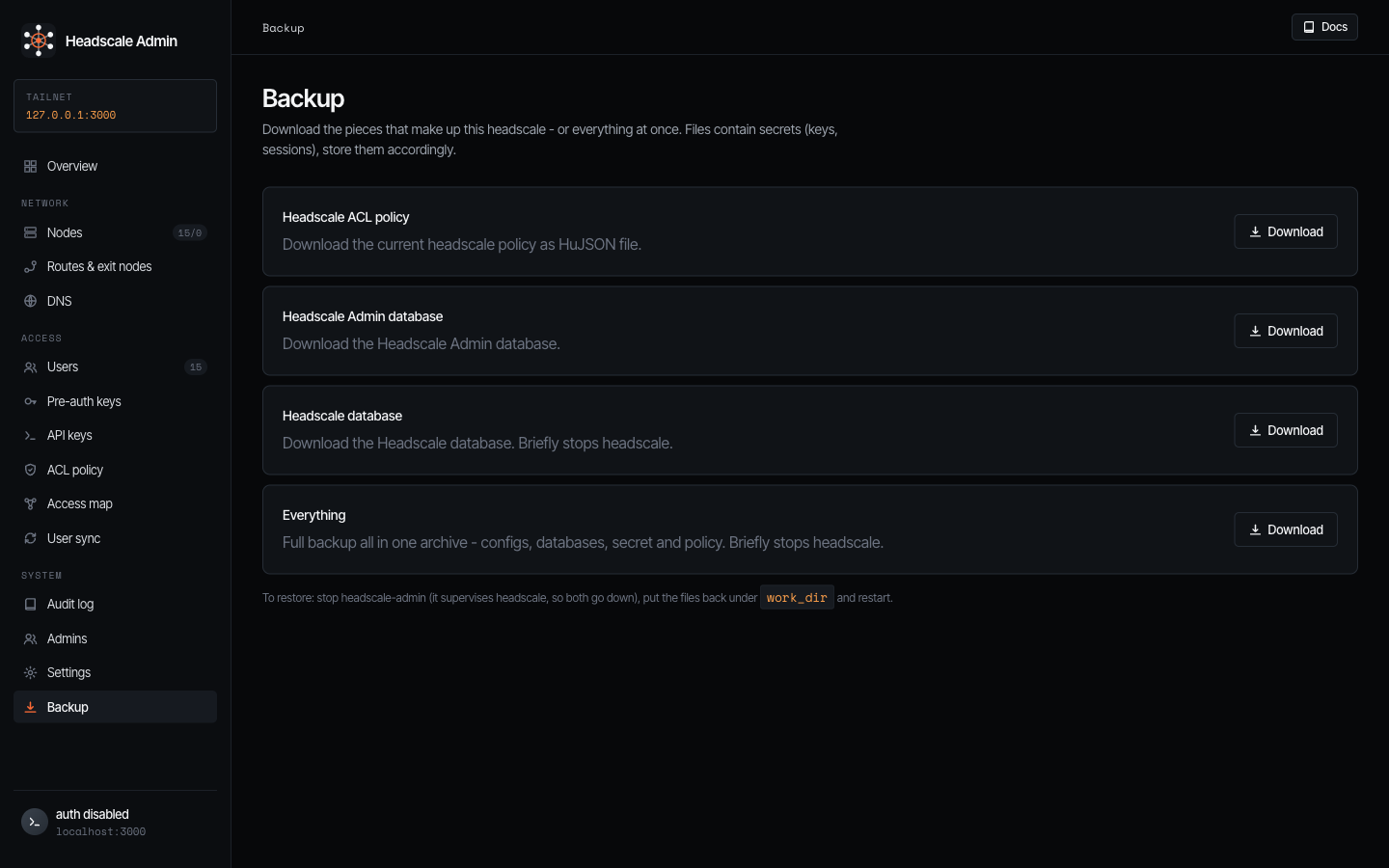
One-click exports of the pieces that make up this deployment: the ACL policy (HuJSON), the headscale-admin database, the headscale database, or everything in a single archive.