Overview
What headscale-admin is, how it supervises headscale, and what the single binary actually does when you run it.
Logic schema
┌───────────┐              ┌───────────────────────┐              ┌──────┐
│  Client   │──────TLS─────▶    Headscale Admin    ◀──────API─────┤  UI  │
└───────────┘              └──────┬────────┬───────┘              └──────┘
                                  │        │
                                  │        │
                                  │     Client
                               Admin     HTTP
                                gRPC    traffic
                               Socket  and gRPC
                                  │       CLI
                                  │        │
                                ┌─▼────────▼─┐
                                │ Headscale  │
                                └────────────┘
Before you begin
Read the headscale & Tailscale docs first
Skim the headscale and Tailscale documentation to understand which features each supports. headscale aims at basic network-access features and has some limitations, if you need the full feature set, the official Tailscale control plane may suit you better.
- headscale: https://headscale.net
- Tailscale: https://tailscale.com/docs
What it is
headscale-admin is a single Go binary that runs headscale
for you and gives it a modern web console. You don’t install, configure, or run headscale separately - headscale-admin
downloads headscale release, prepare minimal headscale.yaml, sqlite
database and keys, supervises the headscale serve process, and is the only public listener in front of it.
The UI is a SPA embedded into the binary at build time, served under /admin.
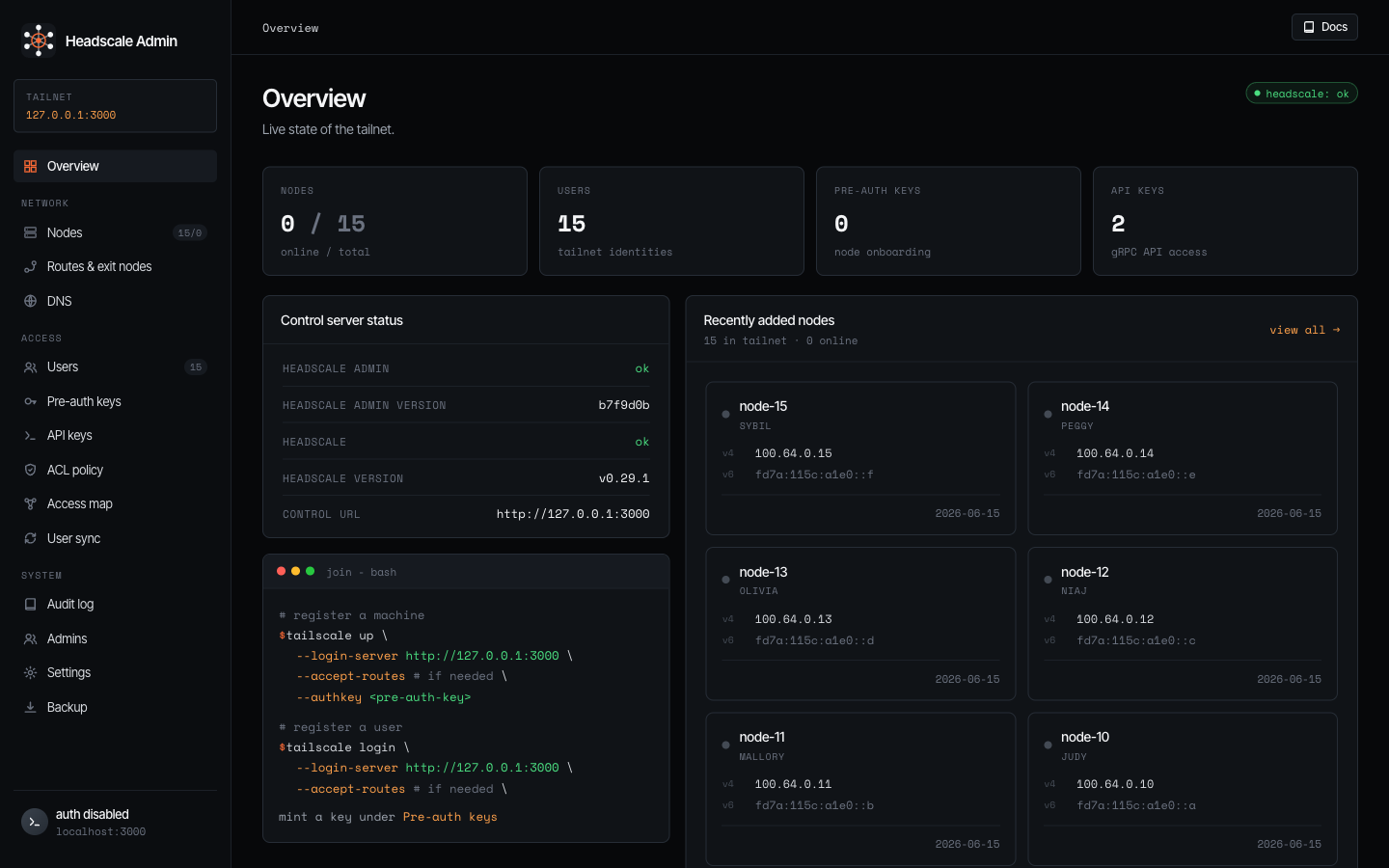
So a deployment is one process and one data directory:
- one binary to install - no separate headscale package, no container orchestration, no reverse proxy required.
- one port to expose - the binary terminates TLS and routes traffic itself.
- one directory to back up - everything headscale needs (config, DB, keys, the downloaded binary) lives under one place.
What it does
When you run headscale-admin serve it:
- Resolves headscale. Locates the headscale binary, downloading it from GitHub releases on first run (or uses a binary you supply for air-gapped installs).
- Owns the config. Generates
headscale.yamland keeps owning it. - Supervises headscale. Starts
headscale serve, dials the unix socket it creates, and restarts/monitors it. The admin UI talks to headscale over that local socket - no API key needed. - Fronts everything on one port. A single listener terminates TLS and proxies to the headscale. Tailscale clients connect to this same address for all tasks.
The bare root / is configurable (server.root) - by default it redirects to the device-onboarding signup page.
What you can manage
The console covers the whole surface headscale exposes, plus the things headscale-admin adds on top:
- Nodes - approve subnet routes, edit ACL tags, rename, expire, register, or remove machines.
- Users & keys - tailnet identities, pre-auth keys, and headscale API keys.
- ACL policy - edit visually (groups, tag owners, hosts, auto-approvers, ACL rules, grants, SSH) or as raw HuJSON, with a live Access map graph of who can reach what.
- DNS - MagicDNS, base domain, global nameservers, split DNS, search domains.
- Routes & exit nodes - approve and toggle advertised subnet routes and exit nodes.
- System - an immutable audit log, backups (policy, databases, or everything), one-click version updates for the headscale, and admins/operators with role-based access.
- User sync (optional) - fill the
group:members in your ACL policy from an external identity source (JumpCloud, Authentik, Keycloak, LDAP) via the integrated support of headscale-pf.
Take the full page-by-page tour in the UI walkthrough.
Access & authentication
Signing in to the console is separate from how your tailnet clients authenticate.
- Local accounts - email + password, with optional TOTP two-factor and passkeys.
- OIDC SSO - sign in through your identity provider, roles follow a configurable group mapping.
- RBAC - admin (full access) vs operator (manages the tailnet - nodes, users, keys, ACL, DNS, user sync.
Who it is for
- Teams self-hosting headscale who want a real admin UI without standing up and wiring headscale, a database, and a reverse proxy by hand.
What it is not
- Not a remote/external-headscale UI. headscale-admin only manages the headscale it supervises itself, there is no mode that points it at a headscale you run elsewhere.
- Not a replacement for headscale. It is headscale, wrapped - your tailnet, nodes, and keys are headscale’s, this is the control surface around them.
- Not a Tailscale coordination server of its own. All networking is headscale, headscale-admin adds the UI, auth/SSO, lifecycle, and tooling.
What’s next
- UI walkthrough - a page-by-page tour of the console, with screenshots.
- Installation - stand it up by hand, with Docker, Docker Compose, or Ansible.